Configure Cisco Meraki to use the Okta RADIUS Agent
This topic describes how to configure the Cisco Meraki gateway.
Before you begin
Ensure that you have the common UDP port and secret key values available.
Note:
The following steps are valid only when configuring an EAP-TTLS enabled RADIUS agent.
For plain PAP authentication, use the splash-screen option in Meraki. If the RADIUS app isn't configured for EAP-TTLS, the steps for configuring Meraki are different. Instead select sign-on with my RADIUS server.
Start this Procedure
- Sign in to the Meraki console using an account with admin privileges.
- Go to .
- Configure the following settings:
- Select the SSID to set up for 802.1X EAP-TTLS authentication with Okta.
- Select WPA2-Enterprise and My RADIUS server.
- Splash page check: None.
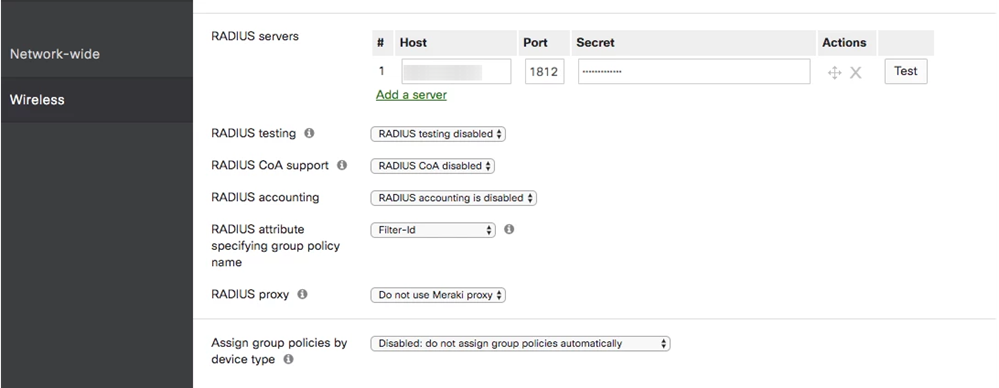
- Enter RADIUS agent details:
- RADIUS servers, enter the IP address of Okta RADIUS Agent under Host.
- Port number and Secret are the same as the application setup in your Cisco Meraki Wireless LAN (RADIUS) app.
Next steps